

Operate · Train · Grow
One platform for the entire flight-training operation.
AvSuite Pro connects scheduling, student progress, instructors, aircraft, prospects, communication, billing, weather, and day-to-day oversight—so your team can see what is happening and know what needs attention.
A clearer command center
Start the day knowing what matters.
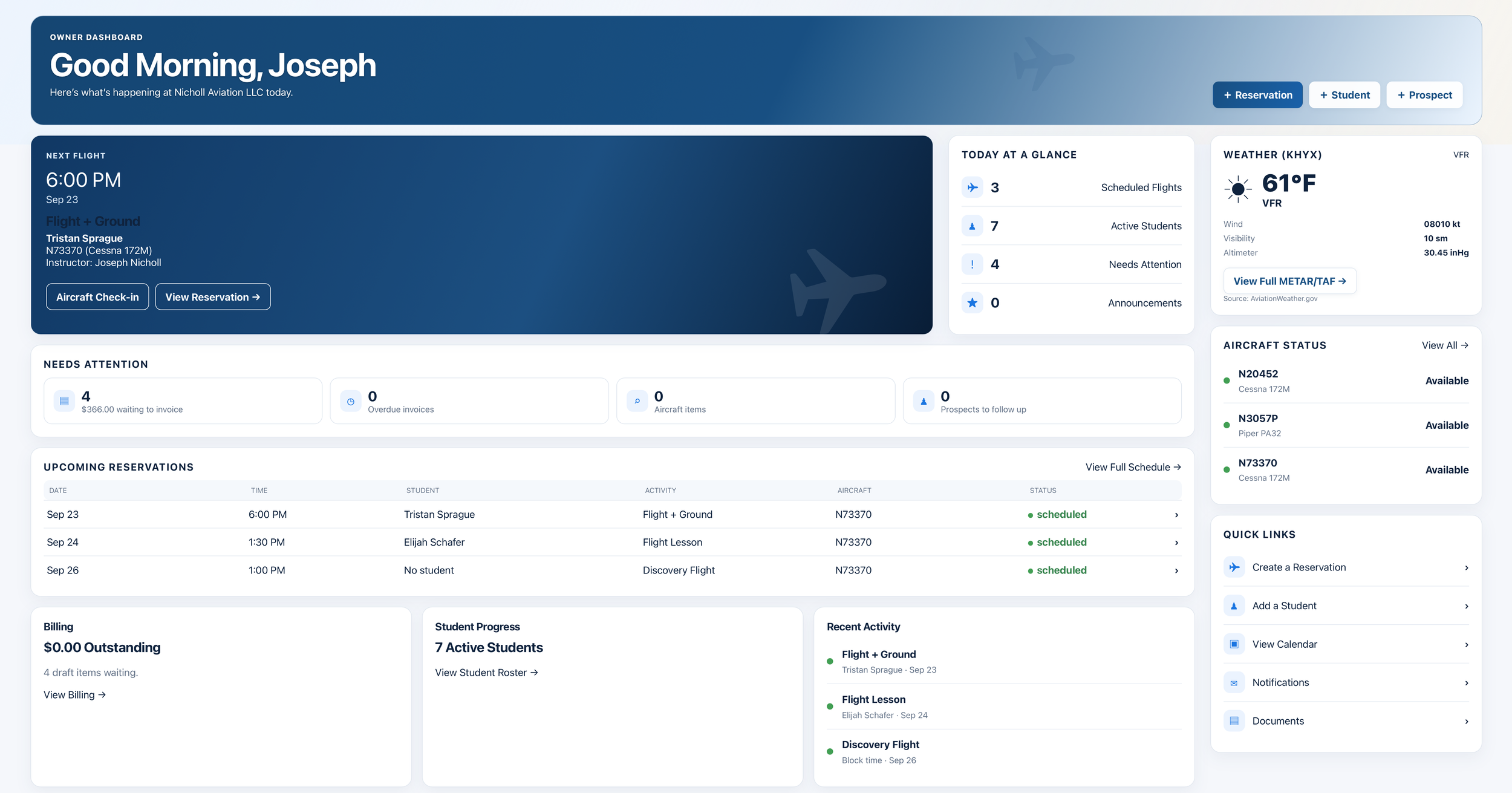
AvSuite Pro turns operational activity into a useful daily view. Owners and staff can see upcoming reservations, student activity, aircraft status, weather, billing items, and follow-ups without hunting through separate systems.
- Role-aware dashboards and quick actions
- Upcoming flights and training activity
- Items that need attention
- Aircraft, weather, and business snapshots
Connected tools
Everything your team needs to move training forward.
Each part of AvSuite Pro shares the same organization, people, aircraft, and training data. Update information once and keep the operation aligned.
Scheduling & availability
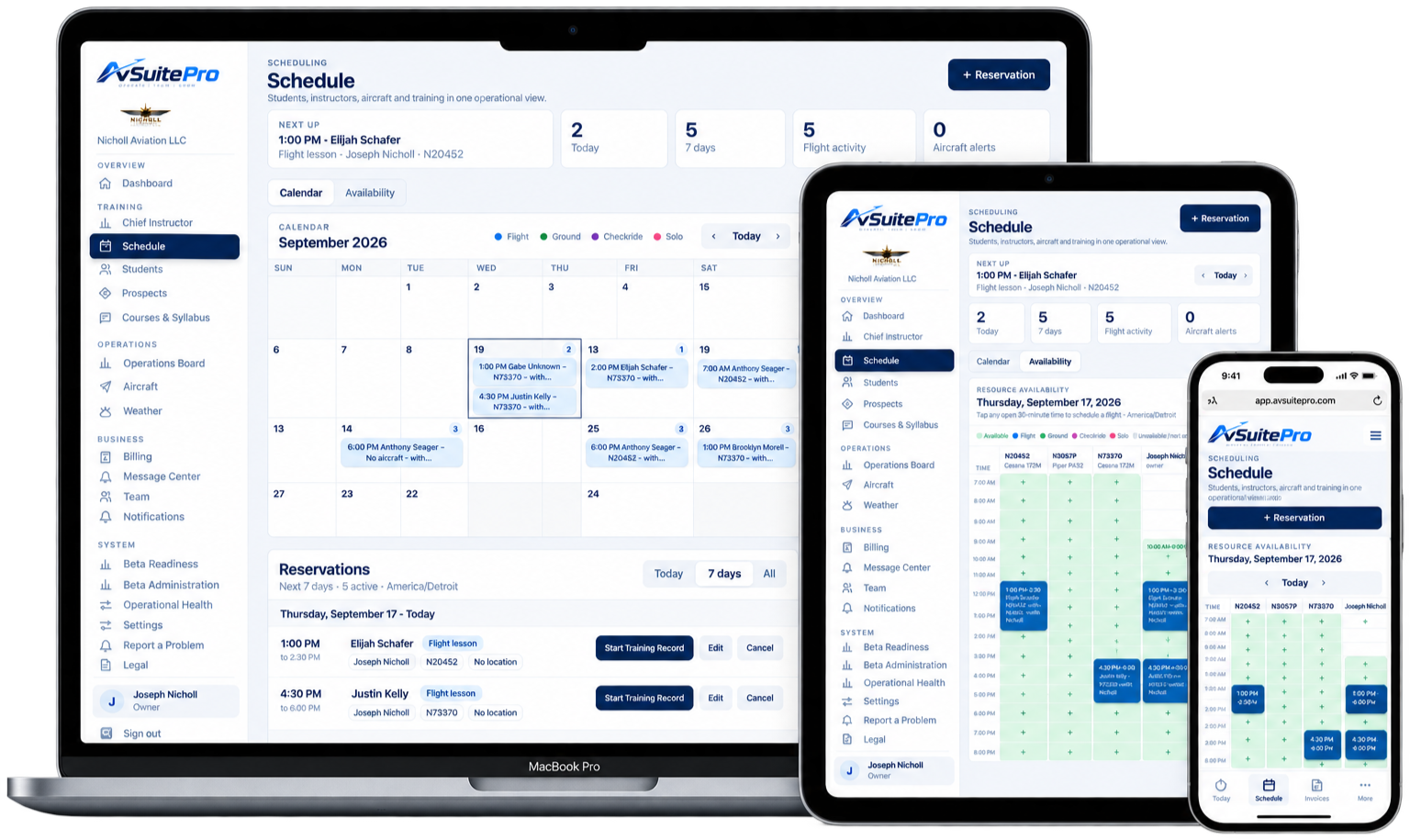
Coordinate instructors, students, aircraft, classrooms, and activities in a shared schedule.
- Day, week, and calendar views
- Resource availability
- Reservation details and status
Courses & syllabus
Build structured courses and give instructors a consistent path for training delivery.
- Course enrollment
- Stages and lessons
- Completion and progress tracking
Chief Instructor tools
See training health across the organization and identify students who may need support.
- Program oversight
- Instructor and student visibility
- Training status at a glance
Student management
Keep student records, enrollments, documents, training history, and account activity connected.
- Student profiles
- Training records
- Documents and resources
Prospect management
Track prospective students from the first inquiry through follow-up and enrollment.
- Lead details and status
- Follow-up visibility
- Discovery-flight workflow
Operations Board
Give the lobby or dispatch area a live, shared view of the day’s activity.
- Today’s schedule
- Operational status
- At-a-glance presentation
Aircraft & maintenance
Manage availability, meters, rates, squawks, and maintenance awareness for every aircraft.
- Fleet profiles and status
- Hobbs and tach tracking
- Squawks and attention items
Billing & invoicing
Connect aircraft and instruction rates to billing activity and keep balances visible.
- Rate configuration
- Invoice workflow
- Outstanding balance visibility
Messages & announcements
Handle direct conversations and organization-wide updates from the same platform.
- Targeted messages
- Broad announcements
- Notifications and resources
A student experience with purpose
Students can see where they are and what comes next.
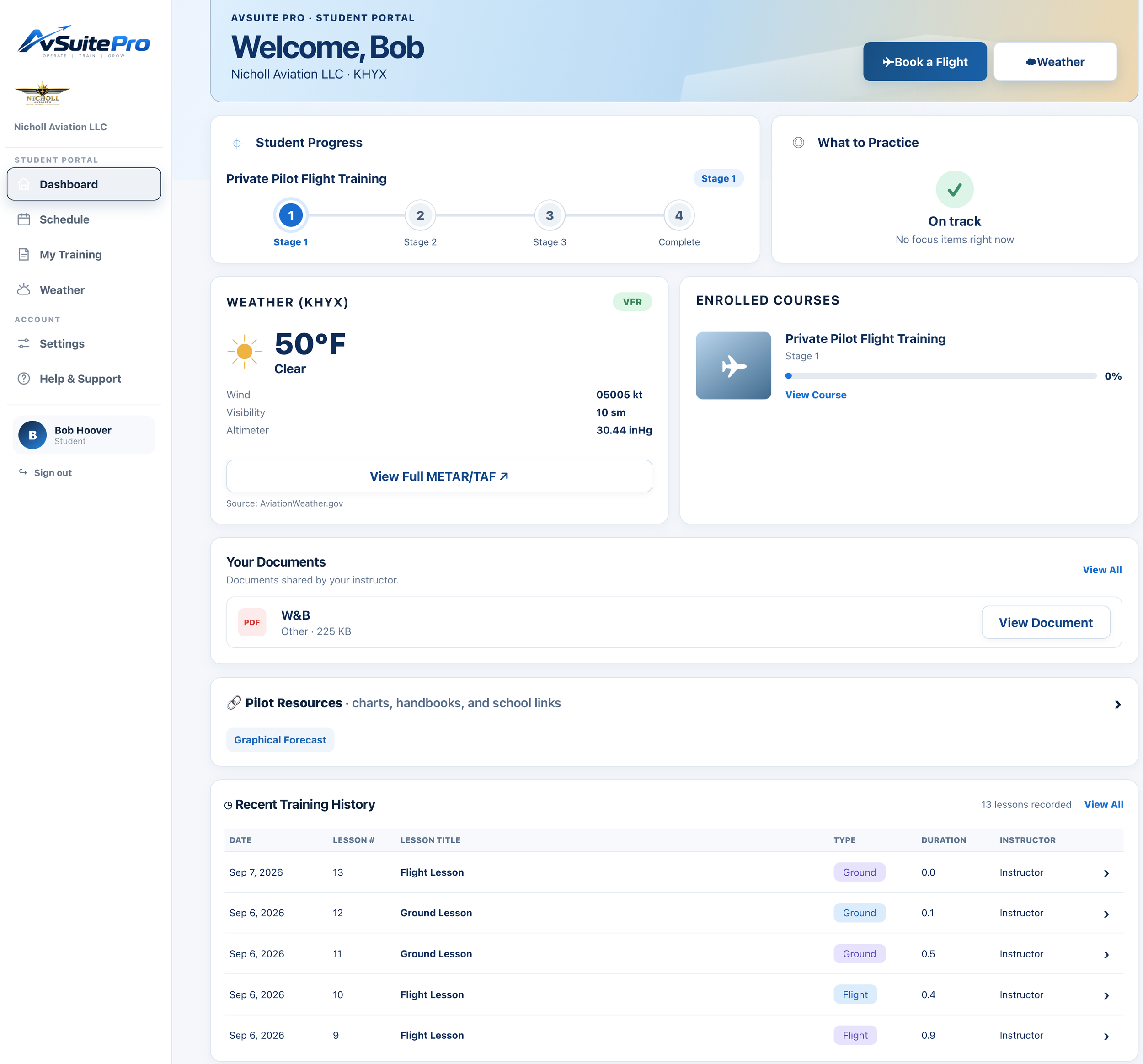
The student portal brings the training relationship into focus. Students can view their enrolled course, current stage, progress, upcoming activity, records, documents, resources, weather, and account information from one place.
- Course and stage progress
- Upcoming training and schedule access
- Training history and performance context
- Documents, resources, invoices, and settings
Operational awareness
Keep the airplane and the operating picture in view.
Aircraft data and aviation weather live alongside the schedule and training operation, helping the team spot constraints before they become surprises.

Fleet operations
See aircraft availability, meters, rates, open squawks, and maintenance attention items in a single fleet view.
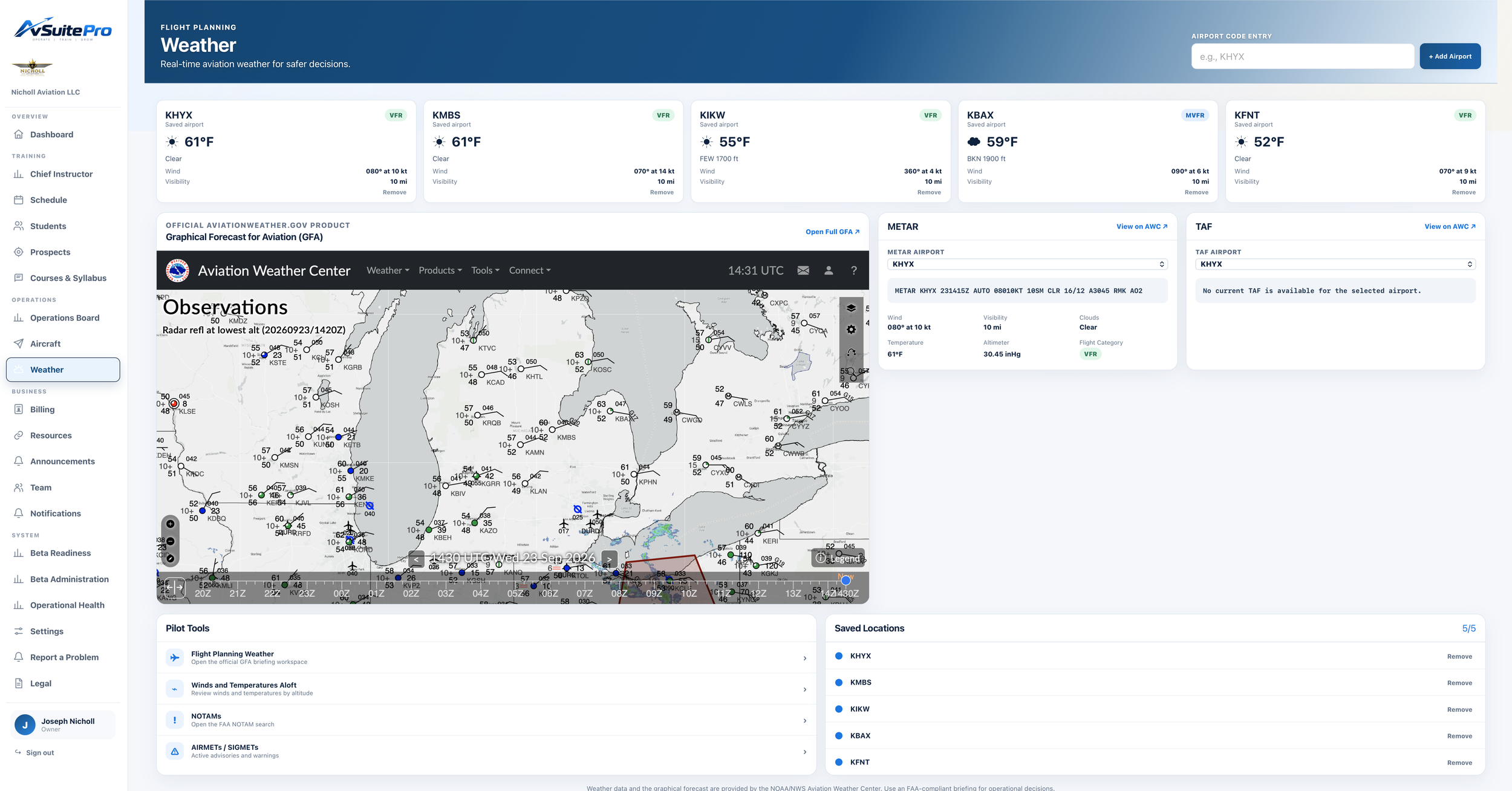
Aviation weather
Bring airport conditions, METAR and TAF information, and useful weather context into the same operational workspace.
The right view for each role
One organization. Different jobs. Relevant access.
AvSuite Pro organizes the experience around what each person needs to do while keeping the organization’s information connected.
Owners & administrators
Oversee the schedule, people, aircraft, billing, settings, reporting, and organization health.
Chief instructors
Monitor training programs, course progress, instructors, students, and items needing intervention.
Instructors
Manage availability, reservations, assigned students, lessons, records, and communication.
Students
Follow training progress, view upcoming activity, reach resources, and manage account details.
More than a schedule
The details that make it an operating platform.
Reports & analytics
Turn activity into useful visibility for training, operations, and business decisions.
Organization branding
Apply your organization identity and selected interface theme across portal experiences.
Roles & permissions
Control access according to each person’s responsibilities within the organization.
Multi-location support
Organize people, aircraft, scheduling, and activity across more than one operating location.
Resources & documents
Give students and staff dependable access to organization materials and important files.
Responsive access
Use AvSuite Pro across desktop, tablet, and mobile-sized screens wherever the work happens.
See the connected operation
Run your flight school with a clearer view.
Tell us about your organization and the systems you use today. We’ll show you the parts of AvSuite Pro that matter most to your workflow.